Best VPN Software for Remote Work: Top VPNs Comared
Working remotely gives you flexibility, but it also means connecting to the internet from different places, using different networks, and sometimes accessing sensitive work information outside a traditional office. Whether you work from home in the USA, manage clients in the UK, or run a business with a distributed team, choosing the right VPN can help protect your internet connection.
The best VPN is not necessarily the one with the most servers or the lowest advertised price. It is the service that offers reliable security, acceptable speeds, transparent privacy practices, and the features you actually need.
For remote workers, freelancers, and small businesses, VPN software can add an important layer of protection, particularly when using public Wi-Fi or connecting to work systems remotely. However, a personal VPN subscription is not automatically a replacement for an employer’s approved remote-access system.
In this guide, we compare several established VPN providers, explain the features worth paying for, and show you how to choose the right solution for your work and personal needs.
What Is a VPN and How Does It Work?
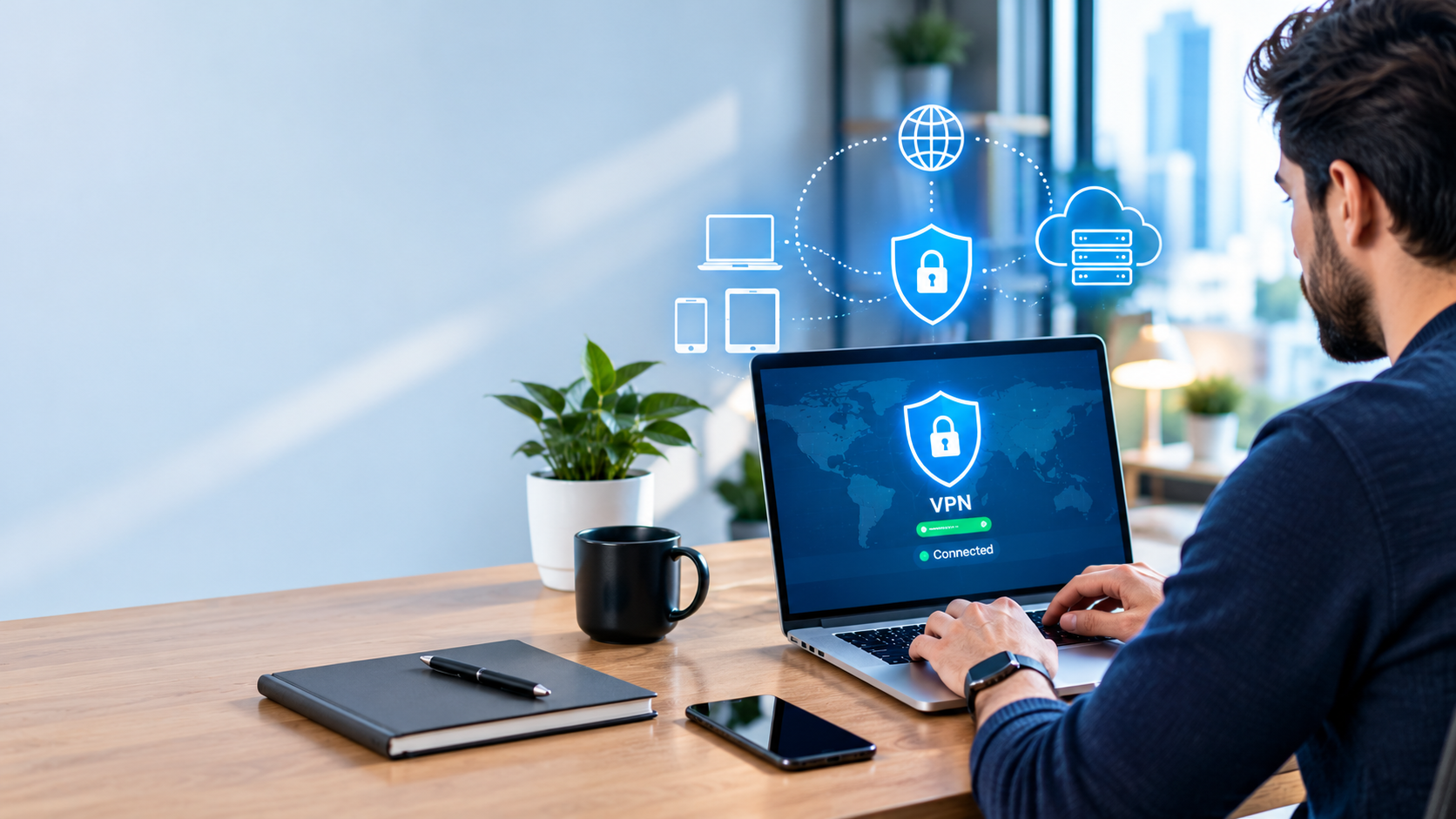
A virtual private network (VPN) creates an encrypted connection between your device and a VPN server. Your internet traffic travels through this connection, helping prevent other parties on the local network from reading the protected traffic. Best VPN for Remote Work
Without a VPN, your internet connection goes through your internet service provider and the websites or services you access. With a VPN, your device first establishes a connection with the VPN provider’s server, which then forwards your internet traffic to its destination.
A VPN can help:
- Protect internet traffic on untrusted public Wi-Fi networks.
- Hide your public IP address from websites you visit, replacing it with the VPN server’s address.
- Reduce the ability of your local network operator or internet provider to inspect the contents of properly encrypted traffic.
- Connect remote employees to company resources when using an approved business VPN.
- Add privacy when browsing from hotels, airports, coworking spaces, and other locations.
However, a VPN does not make you completely anonymous. It does not automatically prevent phishing, remove malware, protect a compromised device, or stop websites from identifying you through account logins and browser information.
It also shifts some trust from your internet provider to your VPN provider. That makes the provider’s privacy policy, technical design, and independent security assessments important considerations.
The US Federal Trade Commission explains these benefits and limitations in its consumer guidance on VPN applications.
Why Use a VPN for Remote Work?
Remote work often involves accessing email, cloud storage, project management platforms, customer records, and internal business applications. These activities can expose sensitive information if devices or network connections are poorly protected.
A VPN can help address some of these risks, but its usefulness depends on how you work.
1. Protect Your Connection on Public Wi-Fi
Airport lounges, hotels, cafés, and coworking spaces can be convenient places to work. However, you may not control who operates the network or how it is configured.
A reputable VPN encrypts traffic between your device and the VPN server. This can reduce the risk of someone on the same network intercepting that traffic.
Modern websites and business applications also use HTTPS encryption, so a VPN is an additional layer rather than a substitute for secure websites and applications.
Practical tip: If you regularly work from public locations, choose a VPN with automatic connection options, reliable leak protection, and a kill switch
.
2. Add Protection When Working from Home
Home internet connections are not automatically secure just because you know the people using the network.
An unsecured router, outdated software, weak passwords, or compromised devices can create security risks.
A VPN can protect traffic travelling between your device and the VPN server, but it does not fix an insecure router or protect every device against malware.
For a stronger setup:
- Use WPA2-AES or WPA3 Wi-Fi security where supported.
- Change default router administrator credentials.
- Install operating system and application updates.
- Enable multifactor authentication on important accounts.
- Use your employer’s approved VPN when accessing internal company systems.
- Keep personal and work accounts separate where practical.
These steps are particularly important for freelancers and small businesses handling customer information.
3. Access Company Resources Securely
Some organizations use VPNs to let employees access internal applications, file servers, or other systems that are not available to the general public.
This type of connection is different from a consumer VPN subscription.
An employer-managed VPN is configured to provide access to specific company resources. A consumer VPN generally routes internet traffic through a commercial provider’s servers.
Buying a personal VPN does not automatically give you access to your employer’s network.
If your company provides a VPN, follow its instructions and security policies. Do not install a different remote-access tool without approval, particularly if you handle confidential information.
The National Institute of Standards and Technology (NIST) provides detailed guidance on securing telework, remote access, and personal devices used for work.

4. Maintain Privacy While Travelling
Consultants, digital marketers, developers, designers, and other professionals may work while travelling between cities or countries.
AvPN can help protect network traffic and reduce exposure of your home IP address while connected.
It may also let you connect through a server in another country, although websites and online services can still detect VPN usage and apply their own access restrictions.
Remember that a VPN does not override company policies, licensing restrictions, local laws, or a service’s terms of use.
Best VPN Software: Providers Worth Comparing
There is no single VPN that is ideal for everyone. The right choice depends on your budget, devices, privacy expectations, performance requirements, and whether you need personal protection or company-managed access.
The following services are useful starting points for a comparison.
1. Proton VPN — Best Starting Point for Privacy-Conscious Users
Proton VPN is worth considering if privacy is a priority and you want the option to begin with a free plan.
Its free offering is particularly useful for people who want to evaluate a VPN without immediately committing to a paid subscription.
The paid VPN Plus plan adds features such as access to a larger server network and support for more simultaneous devices.
Key considerations:
- A free plan is available.
- The free plan has no data limit according to the provider.
- Paid plans offer additional server and performance options.
- The service is suitable for users who value privacy-focused tools.
Pros
- A free entry point for basic VPN use.
- Paid upgrades are available when requirements increase.
- Useful for testing whether a VPN fits your daily workflow.
Cons
- The free plan has fewer server choices and supports fewer simultaneous devices than the paid plan.
- Advanced features may require a subscription.
- A free consumer VPN is not a substitute for an employer-managed remote-access solution.
Best for: Individuals, freelancers, and privacy-conscious users who want to try a VPN before paying.
Official plan information: https://protonvpn.com/pricing
2. NordVPN — Best for Users Wanting Additional Security Features
NordVPN is another established option for people who want more than a basic encrypted connection.
Its feature set includes a kill switch, DNS leak protection, and different VPN protocols. Depending on the plan and platform, additional tools can help identify certain online threats or provide other privacy functions.
For remote workers, these features can be useful when connecting from different networks or protecting personal devices.
Key considerations:
- Supports several VPN protocols.
- Offers a kill switch to reduce exposure if a VPN connection drops.
- Includes DNS leak protection.
- Offers additional security and privacy tools.
Pros
- A broad range of security features.
- Useful options for people who want more control over their connection.
- Suitable for everyday browsing and remote-work-related personal use.
Cons
- Some additional features are available only with particular plans or on supported devices.
- Subscription costs depend on the billing term and selected package.
- A consumer subscription does not automatically provide centralized employee management.
Best for: Individuals who want a feature-rich VPN for work-related browsing and general online privacy.
Official feature information: https://nordvpn.com/features/
3. Surfshark — Best for Households with Multiple Devices
Surfshark is worth comparing if you use several devices or want to protect devices belonging to different household members under one subscription.
The provider advertises unlimited simultaneous VPN connections. That can be useful if you regularly use a laptop, desktop computer, smartphone, and tablet.
However, unlimited simultaneous connections should not be confused with a complete business security platform.
Key considerations:
- Unlimited simultaneous connections are advertised.
- Apps are available for major desktop and mobile platforms.
- Additional security features are available.
- Router configuration can extend VPN coverage to supported devices on a home network.
Pros
- Useful for people with many personal devices.
- Can reduce the need to manage several individual VPN subscriptions.
- Offers additional features beyond a basic VPN connection.
Cons
- Additional features and prices depend on the chosen plan.
- Unlimited connections do not replace centralized employee access controls.
- Actual speeds depend on the server, network conditions, and device.
Best for: Freelancers and households that want VPN protection across multiple personal devices.
Official feature information: https://surfshark.com/features/multiple-devices
4. ExpressVPN — Best for Users Who Prioritize Simplicity
ExpressVPN is another option to consider if you prefer a straightforward VPN application and want protection features that require relatively little manual configuration.
Its Internet Kill Switch is designed to block internet traffic if the VPN connection unexpectedly drops. The provider also offers applications for several major operating systems.
Key considerations:
- Offers a kill switch on supported platforms.
- Supports multiple operating systems and devices.
- Provides different connection protocols.
- Includes features designed to reduce IP and DNS leaks.
Pros
- Straightforward setup for many users.
- Useful connection-protection features.
- Suitable for everyday browsing and travel.
Cons
- Pricing should be compared with competing providers before purchase.
- Device limits and features vary by subscription and platform.
- A simple consumer VPN is not equivalent to an enterprise remote-access system.
Best for: Individuals who prefer an easy-to-use VPN for personal browsing, travel, and routine remote work.
Official feature information: https://www.expressvpn.com/features
Comparison Table: Which VPN Should You Consider?
The table below summarizes the main differences to help narrow your choices. It is a feature-based comparison, not a claim that every provider has been independently tested under identical conditions.
| VPN Provider | Main Strength | Free Plan | Simultaneous Connections | Best Suited For |
|---|---|---|---|---|
| Proton VPN | Privacy-focused options | Yes | Free plan: 1 device; paid limits differ | Budget-conscious individuals |
| NordVPN | Broad security feature set | No standard unlimited free plan | Depends on current subscription terms | Users wanting additional security tools |
| Surfshark | Unlimited simultaneous connections | No standard unlimited free plan | Unlimited advertised | Multiple personal devices |
| ExpressVPN | Straightforward apps and connection protection | No standard unlimited free plan | Depends on current subscription terms | Users prioritizing simplicity |
Important: Providers can change their features, subscription limits, plan names, and prices. Check the official product pages before purchasing.
What Features Should the Best VPN Include?
Marketing claims can make VPN services look similar. To compare them properly, focus on the features that make a practical difference.
Strong Encryption and Modern VPN Protocols
A VPN should use well-established encryption and supported protocols.
Common options include WireGuard, OpenVPN, and provider-specific protocols built for performance or connection stability.
The best choice depends on the provider’s implementation, your device, and your network conditions.
Do not select a VPN based only on a claim that it uses a particular encryption algorithm. Look at the overall security design, update history, and independent assessments as well.
A Reliable Kill Switch
A kill switch blocks internet traffic if the VPN connection unexpectedly fails, reducing the risk that your device will continue transmitting traffic outside the protected connection.
This feature is particularly useful when working on untrusted Wi-Fi or handling sensitive information.
Check whether the feature is supported on your operating system and whether you need to enable it manually.
DNS and IP Leak Protection
A VPN should be designed to prevent DNS requests and IP information from unintentionally escaping the VPN tunnel.
Look for clear documentation explaining how the provider handles leaks and what protection is available on your devices.
Remember that no feature can compensate for every device, browser, or network configuration problem.
A Transparent Privacy Policy
A VPN provider may be able to observe some connection metadata, depending on its infrastructure and configuration.
Before subscribing, examine what the company says it collects, how long it retains information, and whether it shares data with third parties.
Look for independently audited privacy claims where available. Check the scope and date of each audit rather than assuming that one audit proves every claim about the service.
Reliable Speeds and Stable Connections
Remote work depends on more than download speed.
Video calls, cloud applications, remote desktops, and file transfers all need reliable connections with acceptable latency.
A VPN can reduce throughput or increase latency because traffic takes an additional route. The effect varies according to the server location, protocol, network congestion, and internet connection.
If you regularly attend video meetings, test your VPN with your normal applications before committing to a long subscription.
Device and Operating System Support
Check that the VPN works with your actual devices.
Common platforms include Windows, macOS, Linux, Android, and iOS, but available features can differ between them.
Browser extensions are not necessarily equivalent to full-device VPN applications. Some extensions protect only browser traffic, while the full application can route traffic from other applications through the VPN.
Independent Security Assessments
Independent audits can provide useful evidence about a provider’s security controls, infrastructure, or privacy practices.
However, an audit covers a defined scope at a particular point in time. It should not be interpreted as a guarantee that a service can never suffer a breach or technical failure.
Review what was tested, when it was tested, and whether the provider publishes the results.
How to Choose a VPN for Remote Work
Your ideal VPN depends on the work you do and the risks you need to manage.
For Employees Working from Home
Start with your employer’s IT policy.
If the organization provides a VPN, use that service to access internal systems. A personal VPN may serve a separate privacy purpose, but running two VPNs simultaneously can cause connection conflicts or interfere with business applications.
Ask your IT department before changing network settings.
For Freelancers and Independent Contractors
Freelancers may need a VPN for public Wi-Fi, travel, and personal browsing.
A reputable consumer VPN can be a reasonable choice if you want encrypted connections without the administration required by a business platform.
If you handle confidential client files, combine the VPN with multifactor authentication, secure cloud storage, device encryption, and regular software updates.
For Small Business Owners
A consumer VPN may be sufficient for individual browsing, but businesses need to consider access management and accountability.
Depending on the business, useful requirements may include:
- Centralized user administration.
- Multifactor authentication.
- Role-based access controls.
- Device security checks.
- Access logs and monitoring.
- Prompt removal of access when an employee leaves.
- Support for company-owned and approved personal devices.
For larger or more sensitive environments, a managed business VPN or a zero-trust network access solution may be more appropriate.
The Cybersecurity and Infrastructure Security Agency (CISA) has highlighted the importance of properly configured remote-access systems and has encouraged organizations to evaluate modern network-access security approaches.
For Digital Nomads and Frequent Travellers
Choose a service with reliable apps, stable connections, and servers in locations that suit your travel patterns.
Test the VPN before travelling rather than waiting until you need to access an important account.
Also check local requirements and the rules of the websites or services you use. A VPN does not guarantee access to every service in every country.
How Much Does VPN Software Cost?
VPN pricing varies according to the provider, subscription duration, selected features, and promotional offers.
Some providers offer free plans. Paid subscriptions may provide additional servers, faster connections, more simultaneous devices, or extra security features.
Before choosing a plan, compare the total amount you will pay rather than focusing only on the advertised monthly equivalent.
For example, suppose a provider advertises a hypothetical two-year subscription at $3 per month, billed upfront.
The calculation is:
$3 × 24 months = $72 upfront.
The actual amount charged may differ because of taxes, currency conversion, or the provider’s billing terms. A renewal may also cost more than the introductory offer.
This example is illustrative, not a current market price.
When comparing VPN subscriptions, check:
- The total initial payment.
- The subscription duration.
- The renewal price.
- Whether the advertised price includes additional services.
- The refund or money-back guarantee conditions.
- Whether the plan covers all your devices.
- Whether the features you need are included.
A free VPN can be sufficient for occasional personal browsing. For regular remote work, the right paid plan may be worthwhile if it provides the reliability, privacy controls, and support you need.
Avoid choosing an unknown free VPN simply because it has no subscription fee. Review its privacy policy, permissions, security practices, and business model first.
Free VPN vs Paid VPN: Which Is Better?
The choice depends on how you use the internet and how much control you need.
| Factor | Free VPN | Paid VPN |
|---|---|---|
| Cost | No subscription fee for the free tier | Recurring subscription or other paid terms |
| Data allowance | May be limited or unlimited | Often generous or unlimited, depending on plan |
| Server choice | Often more restricted | Usually broader selection |
| Speed | May have limitations or congestion | May offer more performance options |
| Simultaneous devices | Often limited | Limits vary by provider and plan |
| Advanced features | May be restricted | More features may be included |
| Support | May be limited | More support options may be available |
| Privacy | Depends on provider and business model | Also depends on provider and privacy practices |
A paid VPN is not automatically safer than a free VPN. The provider’s implementation, privacy practices, and transparency matter more than the price alone.
For basic personal browsing, a reputable free plan may be enough. For frequent travel or demanding work, compare paid plans that provide the features and support you need.
Is a VPN Enough to Secure Remote Work?
No. A VPN is one layer of security, not a complete cybersecurity solution.
It primarily protects traffic between your device and the VPN endpoint. It does not automatically protect information after it reaches its destination, secure a compromised computer, or stop you from giving your password to a phishing website.
For a stronger remote-work setup, combine a VPN with the following measures.
Enable Multifactor Authentication
Use multifactor authentication (MFA) on email, cloud storage, work applications, and other important accounts.
Whenever possible, use phishing-resistant authentication methods supported by your organization.
Keep Devices Updated
Install operating system, browser, and application security updates promptly.
Outdated software can expose your device to vulnerabilities that a VPN cannot fix.
Use a Password Manager
Create unique passwords for important accounts and avoid reusing work passwords on personal websites.
A reputable password manager can make this easier.
Secure Your Router
Use a strong administrator password, modern Wi-Fi security, and current firmware.
Disable features you do not need, and replace unsupported equipment where appropriate.
Avoid Unapproved Remote-Access Tools
If you need to access internal company systems, follow your organization’s approved process.
Do not install personal remote-access tools or bypass business security controls without permission.
Back Up Important Files
Maintain secure backups of important work files according to your employer’s or business’s requirements.
Backups can help with accidental deletion, hardware failure, and some ransomware incidents, although they need their own access controls and protection.
For additional guidance, consult NIST’s resources on telework and remote-access security.
Common VPN Mistakes to Avoid
Even a reputable VPN can be used incorrectly. Watch out for these common mistakes.
Assuming a VPN makes you anonymous: A VPN changes your network path and can hide your public IP address from destination websites, but account logins, cookies, browser fingerprinting, and other identifiers can still reveal information about you.
Ignoring the privacy policy: A VPN provider becomes an important part of your privacy model. Read its data collection and retention disclosures.
Choosing based only on price: Low introductory pricing may come with long billing commitments or higher renewal costs.
Forgetting to enable the kill switch: If your chosen app requires manual activation, check the settings.
Using a personal VPN instead of the company VPN: A consumer VPN may not provide access to internal company resources or satisfy organizational security requirements.
Expecting a VPN to stop malware: VPN software is not a replacement for endpoint protection, software updates, safe browsing, and phishing awareness.
Buying a long subscription before testing it: Confirm that the VPN works well with your normal devices, video calls, websites, and work applications.
Who Should Consider Using a VPN?
A VPN can be useful for a range of people, but the benefits differ.
| User Type | Potential Benefit | Important Consideration |
|---|---|---|
| Remote employee | Protected connections and approved access to internal systems | Follow employer policy |
| Freelancer | Added privacy on public Wi-Fi and while travelling | Protect client data separately |
| Small business owner | A component of a broader remote-access security setup | Consider centralized management |
| Frequent traveller | Encrypted traffic over untrusted networks | Test service availability before travel |
| Student | Additional privacy on public networks | Follow school network policies |
| Everyday home user | Additional network privacy | Secure the router and devices too |
If you rarely use public networks and already have a well-managed security setup, a personal VPN may be less important than other improvements. Your decision should reflect your actual risks rather than marketing claims.
FAQs
1. What Is the Best VPN for Remote Work?
There is no universally best VPN for remote work. Proton VPN, NordVPN, Surfshark, and ExpressVPN are options worth comparing for personal VPN use.
For employees accessing internal company resources, the employer’s approved remote-access VPN is generally the appropriate starting point.
Compare privacy practices, kill-switch support, device compatibility, speed, and total subscription cost before choosing a personal service.
2. Do I Need a VPN If I Work from Home?
Not everyone needs a separate consumer VPN, but it can add a layer of privacy and protection.
If your employer requires a company VPN, use it according to its policies. A personal VPN can serve a different purpose, but it does not replace router security, device updates, or multifactor authentication.
3. Are Free VPNs Safe to Use?
Some free VPN services are reputable, while others may have weak security, intrusive advertising, or unclear data practices.
Research the provider, review its privacy policy, and check what data it collects before installing an application.
A free plan from an established provider may be a reasonable starting point for personal use, but check whether its limitations fit your needs.
4. Can My Employer See My Activity If I Use a VPN?
Potentially, yes. What your employer can see depends on the VPN configuration, company devices, endpoint-management tools, security monitoring, and the applications you use.
A company-managed device may have monitoring software or other security controls that operate independently of a personal VPN.
Do not assume that using a consumer VPN makes your activity invisible to your employer. Follow company policies and review applicable workplace privacy rules.
5. Will a VPN Slow Down My Internet Connection?
It can. VPN traffic travels through an additional server, and encryption and routing can affect speed and latency.
The impact varies according to your internet connection, VPN protocol, server distance, congestion, and device.
If you rely on video meetings or remote desktops, test the VPN with your usual applications before committing to a subscription.
6. Can I Use One VPN Subscription on Multiple Devices?
That depends on the provider and subscription plan.
Some providers limit simultaneous connections, while others advertise unlimited simultaneous connections.
Check the current terms and supported platforms. Also remember that a VPN subscription for personal devices is not necessarily licensed or designed for centralized business use.
7. Does a VPN Protect Me from Hackers?
A VPN can reduce certain network-related risks by encrypting traffic between your device and the VPN server.
However, it does not prevent every form of hacking. It cannot reliably stop phishing, malicious downloads, stolen passwords, compromised devices, or vulnerabilities in the services you use.
Combine a VPN with MFA, software updates, strong passwords, secure devices, and safe browsing habits.
8. Is a VPN Legal in the USA and UK?
VPN use is generally legal for ordinary lawful activities in both the United States and the United Kingdom.
However, using a VPN does not make otherwise unlawful activity legal or remove your obligations under applicable laws, workplace policies, or service terms.