AI Productivity Tools That Can Save Small Businesses Hours Every Week
Introduction
AI productivity tools are changing the way small businesses manage daily work. From writing emails and creating documents to organizing projects, taking meeting notes, automating repetitive tasks, and analyzing information, AI can help teams spend less time on routine work and more time on important business activities.
The right productivity software can also reduce manual work, improve collaboration, and help employees stay organized. In this guide, we look at 15 useful AI productivity tools for small businesses, freelancers, marketers, managers, and everyday professionals.
What Are AI Productivity Tools?
AI productivity tools are software applications that use artificial intelligence to help people complete work faster or with less manual effort.
These tools can help with tasks such as:
- Writing and editing content
- Email drafting and summarization
- Project management
- Meeting transcription and notes
- Data analysis
- Creating presentations
- Scheduling and calendar management
- Workflow automation
- Research and information discovery
- Customer communication
Instead of replacing every part of a workflow, good AI productivity software usually works as an assistant that helps users complete repetitive or time-consuming tasks.
How We Selected These AI Productivity Tools
We selected these AI productivity tools based on practical factors that matter to small businesses and professionals.
1. Real Productivity Impact
We looked for tools that can help users save time, automate repetitive tasks, organize information, improve workflows, or complete everyday work more efficiently.
2. Ease of Use and Value
We considered tools that are relatively easy to learn, provide useful features, and offer practical value for individuals, freelancers, and small business teams.
AI Productivity Tools Comparison
| AI Productivity Tool | Best For | Main Use |
|---|---|---|
| Microsoft 365 Copilot | Office work | Documents, email, spreadsheets and presentations |
| Notion AI | Knowledge management | Notes, documents and project information |
| ClickUp Brain | Project management | Tasks, projects, summaries and AI assistance |
| Zapier | Automation | Connecting apps and automating workflows |
| Grammarly | Writing | Editing, rewriting and communication |
| Canva AI | Design | Presentations, graphics and marketing content |
| ChatGPT | General productivity | Writing, research, brainstorming and analysis |
| Otter.ai | Meetings | Transcription and meeting summaries |
| Motion | Planning | Tasks, projects and calendar planning |
| Reclaim AI | Scheduling | Calendar and task management |
| Asana AI | Team projects | Project planning and workflow support |
| Google Gemini | Google Workspace | Research, writing and productivity |
| Claude | Writing and analysis | Documents, research and long-form work |
| Perplexity | Research | AI-assisted search and research |
| Fireflies.ai | Meetings | Meeting transcription and summaries |
1. Microsoft 365 Copilot — AI Inside Microsoft 365
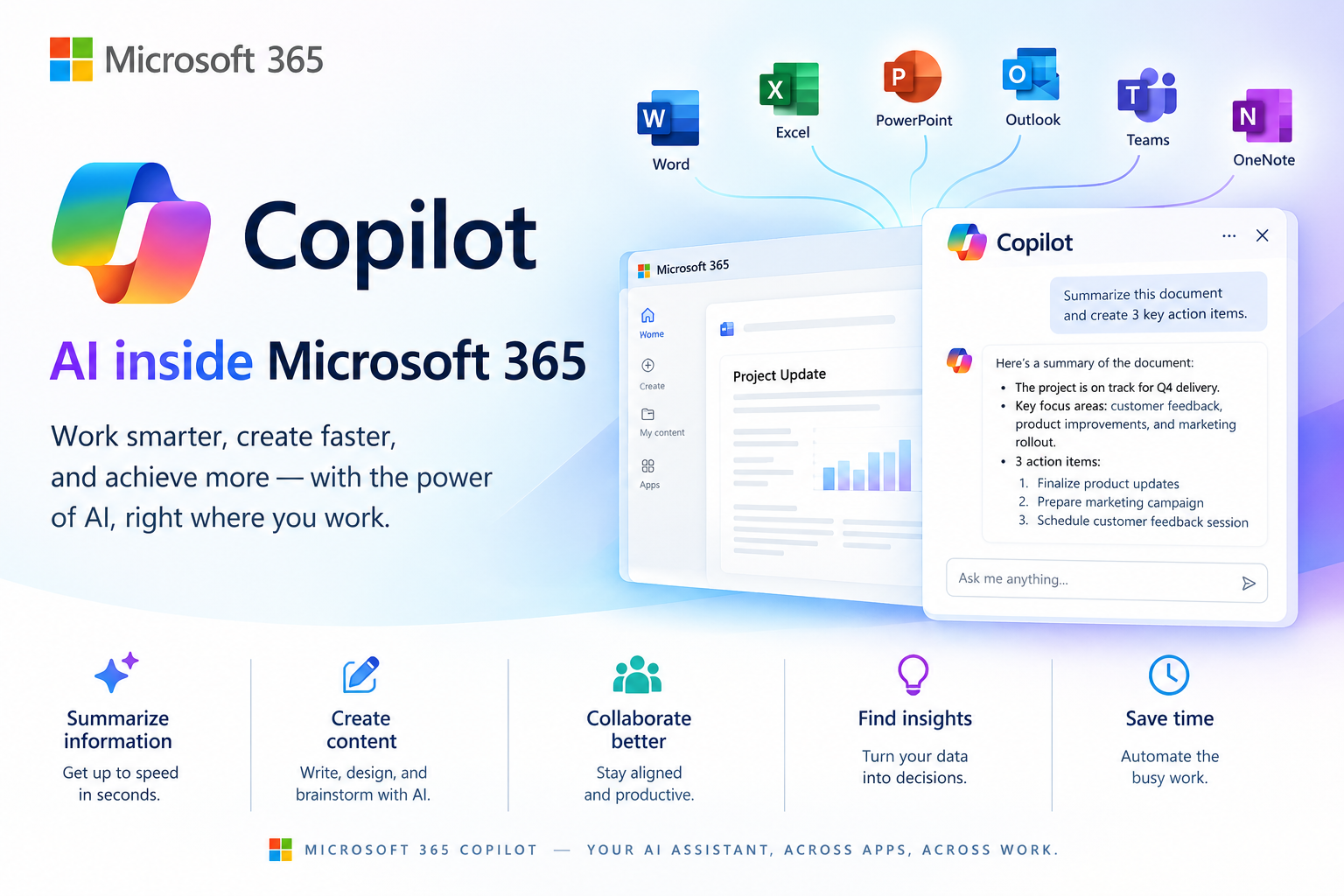
Microsoft 365 Copilot brings AI assistance into the Microsoft productivity environment. It can help users work with documents, spreadsheets, presentations, email and other Microsoft 365 content.
For businesses already using Microsoft 365, Copilot can be useful because it works alongside familiar applications such as Word, Excel, PowerPoint, Outlook and Teams.
Best for: Businesses already using Microsoft 365.
Key features:
- AI-assisted writing
- Document creation and summarization
- Spreadsheet assistance
- Presentation creation
- Email support
- Information discovery
Pros:
- Works with Microsoft 365
- Useful for office workflows
- Familiar environment for Microsoft users
Cons:
- Features depend on the subscription and account type
- Businesses should review licensing and data controls
2. Notion AI — AI for Notes and Knowledge
Notion AI combines AI assistance with documents, databases, projects and knowledge management. It can help users create and edit content, search information, summarize material, and work with tasks inside the Notion environment.
This makes it useful for small teams that want to keep company information and AI-assisted work in one workspace.
Best for: Teams managing documents, projects and company knowledge.
Key features:
- AI writing
- Summaries
- Workspace search
- Task assistance
- Meeting notes
- Knowledge management
Pros:
- Combines documents and project information
- Useful for team knowledge
- Flexible workspace
Cons:
- Advanced AI features may require a paid plan
- New users may need time to learn the platform
3. ClickUp Brain — AI for Project Management
ClickUp combines project management with AI features for tasks, documents, communication and workflow management.
It can be useful for teams that want project information, tasks and AI assistance in the same platform.
Best for: Project teams and small businesses.
Key features:
- AI writing
- Task assistance
- Project summaries
- AI-powered search
- Meeting notes
- Workflow support
Pros:
- Combines project management and AI
- Many business features
- Useful for team workflows
Cons:
- Large feature set can feel overwhelming
- AI availability varies by plan
4. Zapier — AI Workflow Automation
Zapier focuses on connecting applications and automating workflows. Businesses can use it to move information between different apps and automate repetitive processes.
For example, a business could create an automated workflow that receives a form submission, updates another application, and sends a notification to a team member.
Best for: Businesses that want to automate repetitive tasks.
Key features:
- App integrations
- Automated workflows
- AI-assisted workflow building
- Data movement between apps
- AI actions
Pros:
- Connects many business applications
- Useful for repetitive processes
- Reduces manual data entry
Cons:
- Advanced workflows can require setup
- Costs can increase as usage grows
5. Grammarly — AI Writing Assistant
Grammarly helps users improve written communication. It can check writing, suggest improvements, adjust tone, rewrite sentences and provide AI-assisted writing features.
It can be useful for emails, reports, marketing content, proposals and everyday business communication.
Best for: Professionals who write frequently.
Key features:
- Grammar checking
- Rewriting
- Tone suggestions
- AI writing
- Multilingual support
- Business communication assistance
Pros:
- Easy to use
- Works across many writing environments
- Helpful for business communication
Cons:
- Advanced features require a paid plan
- AI usage limits can vary by plan
6. Canva AI — AI for Business Design
Canva combines graphic design tools with AI-powered features. Small businesses can use it to create presentations, social media graphics, marketing materials and other visual content.
It can be particularly useful for teams that do not have a dedicated graphic designer.
Best for: Marketing teams and small businesses.
Key features:
- AI-assisted design
- Presentations
- Social media graphics
- Marketing materials
- Image generation and editing
Pros:
- Beginner-friendly
- Large selection of templates
- Useful for marketing teams
Cons:
- Some advanced features require paid access
- AI-generated designs may still need human editing
7. ChatGPT — General AI Productivity Assistant
ChatGPT can support many different types of knowledge work. Users can use it for brainstorming, writing, summarization, research assistance, planning, data analysis and idea development.
Because it can handle different tasks, it can act as a flexible AI assistant for individuals and small businesses.
Best for: General-purpose productivity.
Key features:
- Writing
- Brainstorming
- Summarization
- Research assistance
- Data analysis
- Planning
Pros:
- Flexible
- Useful for many different tasks
- Simple natural-language interaction
Cons:
- Important information should be checked
- Results depend heavily on the quality of the instructions
8. Otter.ai — AI Meeting Notes
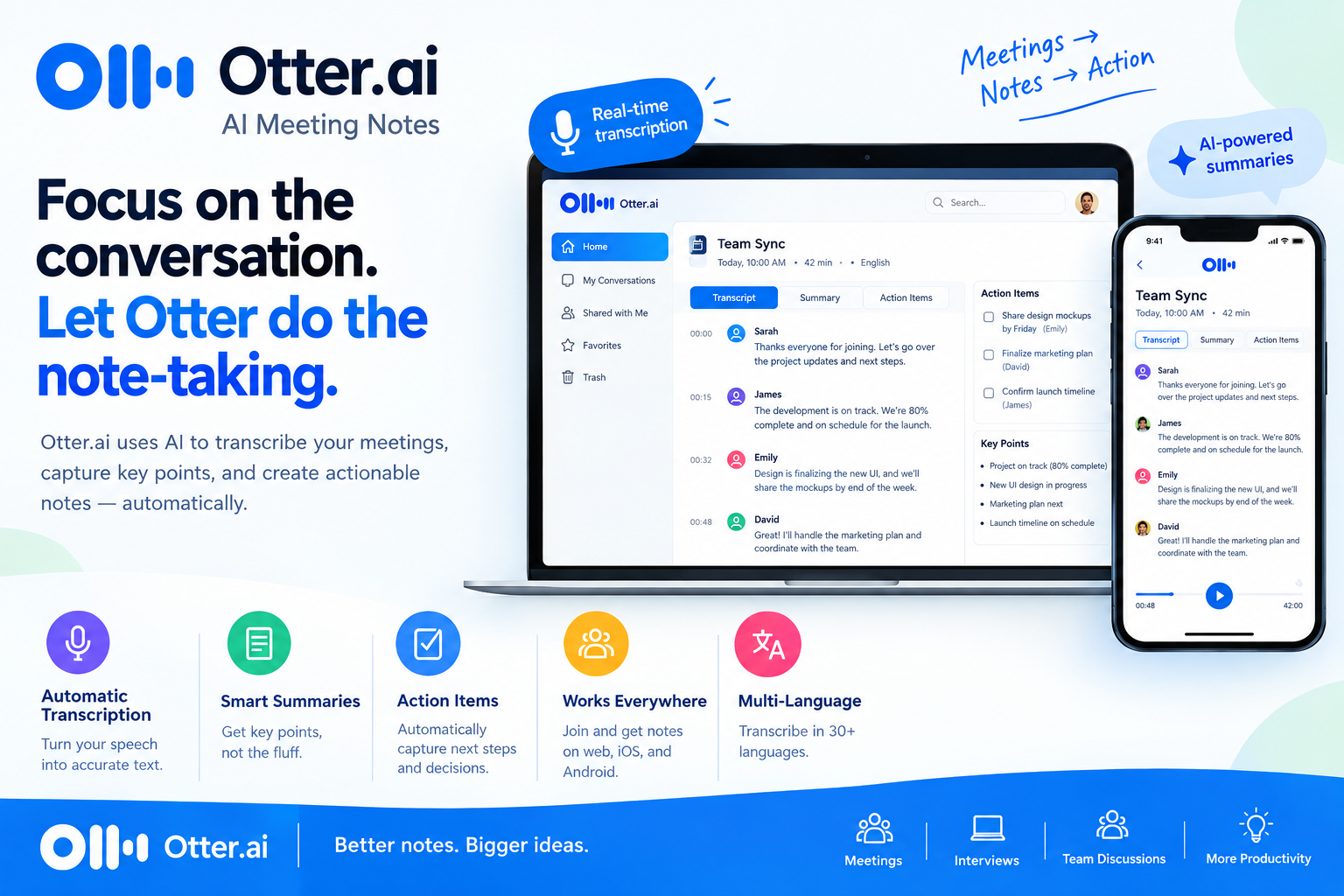
Otter.ai focuses on meetings and conversations. It can transcribe discussions and help users turn meetings into searchable notes and summaries.
This can save time for teams that spend many hours in meetings.
Best for: Meetings and interviews.
Key features:
- Transcription
- Meeting summaries
- Searchable conversations
- Action items
- Collaboration
Pros:
- Reduces manual note-taking
- Useful for remote teams
- Makes conversations easier to review
Cons:
- Accuracy can vary depending on audio quality
- Some advanced features require paid access
9. Motion — AI Planning and Scheduling
Motion combines tasks, projects and calendar planning. It is designed to help users organize work and schedule tasks around available time.
It can be useful for professionals who struggle with managing multiple deadlines.
Best for: Busy professionals and project managers.
Key features:
- Task planning
- Calendar management
- Project planning
- Scheduling
- Time management
Pros:
- Combines tasks and calendar
- Helpful for deadline management
- Reduces manual planning
Cons:
- May take time to configure
- Best value depends on how much scheduling automation you need
10. Reclaim AI — Smart Calendar Management
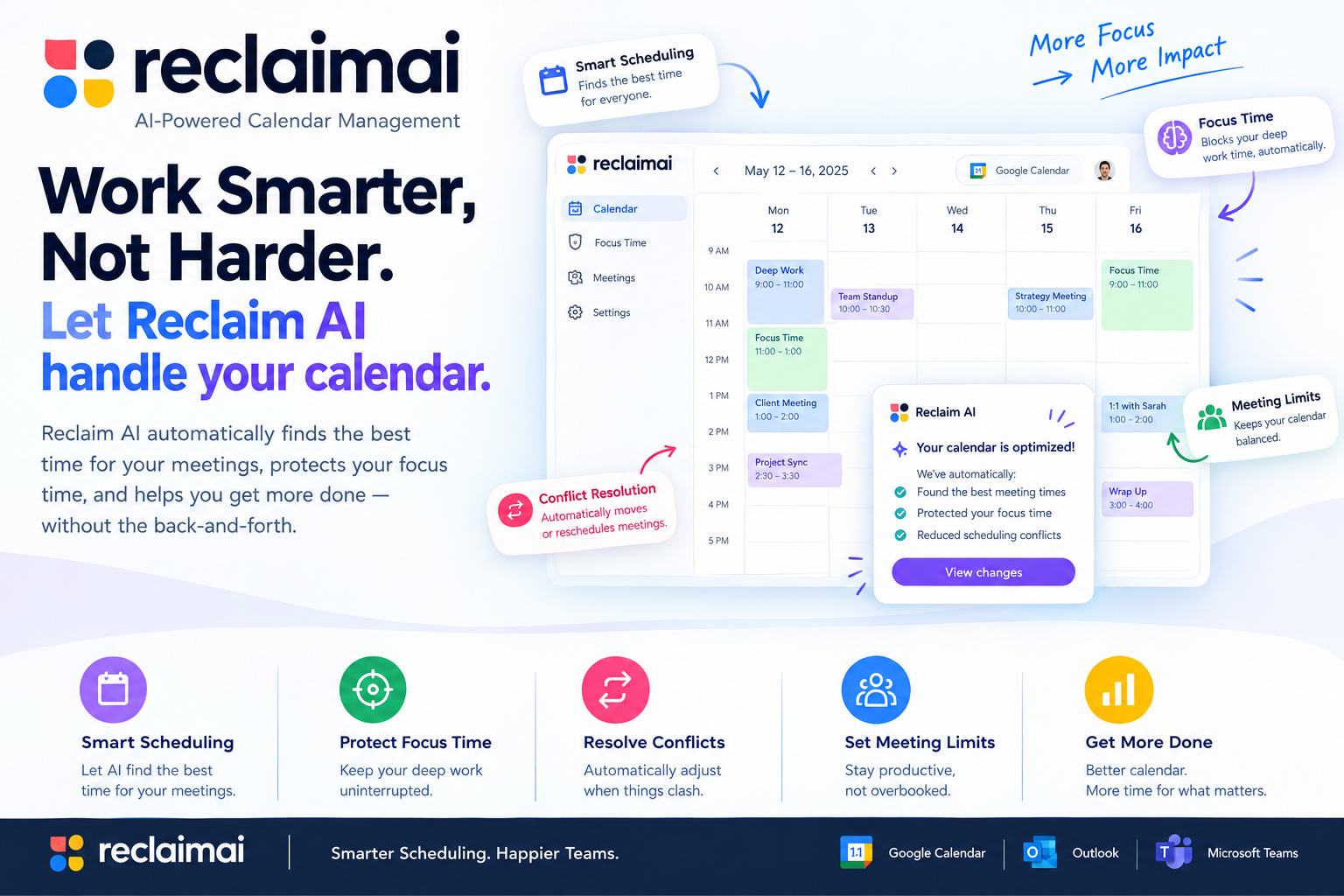
Reclaim AI focuses on intelligent scheduling and calendar management. It can help users protect time for tasks, habits, meetings and personal priorities.
Best for: Professionals with busy calendars.
Key features:
- Smart scheduling
- Task management
- Calendar protection
- Habit scheduling
- Meeting planning
Pros:
- Useful for time management
- Helps organize busy calendars
- Reduces manual scheduling
Cons:
- Most useful for users with complex schedules
- Advanced features may require a paid plan
11. Asana AI — AI for Team Projects
Asana is a project and task management platform with AI capabilities designed to support planning, project work and team collaboration.
It can help businesses organize projects while keeping tasks, deadlines and team responsibilities in one place.
Best for: Teams managing multiple projects.
Key features:
- Project management
- Task management
- AI assistance
- Workflow management
- Team collaboration
Pros:
- Strong project organization
- Useful for teams
- Clear task management
Cons:
- Advanced features may require paid plans
- Smaller teams may not need every feature
12. Google Gemini — AI for Google Users
Google Gemini can assist with writing, brainstorming, research and other productivity tasks. It can be especially useful for people who already work heavily within Google’s ecosystem.
Best for: Google Workspace users.
Key features:
- Writing assistance
- Research
- Brainstorming
- Summarization
- AI assistance
Pros:
- Useful within Google’s ecosystem
- Supports different types of work
- Natural-language interface
Cons:
- Features vary by plan and account
- AI-generated information should be reviewed
13. Claude — AI for Writing and Analysis
Claude is an AI assistant that can help with writing, analysis, brainstorming, summarization and document-based work.
It can be useful when a business needs help understanding large amounts of text or developing detailed written material.
Best for: Writing, analysis and document work.
Key features:
- Writing
- Summarization
- Analysis
- Brainstorming
- Document assistance
Pros:
- Strong for long-form work
- Useful for analysis
- Simple conversational interface
Cons:
- Feature availability varies by plan
- Users should verify important information
14. Perplexity — AI Research Assistant
Perplexity combines conversational AI with web-based research. It can help users explore topics, compare information and find sources more efficiently.
For small businesses, it can be useful during market research, competitor research and general information gathering.
Best for: Research and information discovery.
Key features:
- AI search
- Research
- Source discovery
- Summaries
- Follow-up questions
Pros:
- Helpful for research
- Makes source discovery easier
- Natural-language search
Cons:
- Sources should still be checked
- Some advanced capabilities require paid access
15. Fireflies.ai — AI Meeting Assistant
Fireflies.ai is designed to capture and organize meeting conversations. It can help businesses record, transcribe and summarize meetings.
This can reduce the time employees spend manually creating meeting notes.
Best for: Teams with frequent meetings.
Key features:
- Meeting transcription
- AI summaries
- Searchable conversations
- Action items
- Meeting insights
Pros:
- Saves note-taking time
- Useful for remote teams
- Makes meetings searchable
Cons:
- Accuracy depends on meeting quality
- Some features require paid plans
AI Productivity Tools Performance Comparison
| Tool | Writing | Project Management | Automation | Meetings | Research | Best For |
|---|---|---|---|---|---|---|
| Microsoft 365 Copilot | High | Medium | Medium | Medium | Medium | Office work |
| Notion AI | High | High | Medium | High | Medium | Knowledge management |
| ClickUp Brain | High | High | High | High | Medium | Project teams |
| Zapier | Medium | Medium | High | Low | Low | Automation |
| Grammarly | High | Low | Low | Low | Low | Writing |
| Canva AI | High | Low | Medium | Low | Low | Design |
| ChatGPT | High | Medium | Medium | Low | High | General productivity |
| Otter.ai | Low | Low | Low | High | Low | Meeting notes |
| Motion | Medium | High | Medium | Low | Low | Scheduling |
| Reclaim AI | Low | Medium | Medium | Medium | Low | Calendar management |
| Asana AI | Medium | High | High | Medium | Medium | Team projects |
| Google Gemini | High | Medium | Medium | Medium | High | Google users |
| Claude | High | Medium | Medium | Low | High | Analysis |
| Perplexity | Medium | Low | Low | Low | High | Research |
| Fireflies.ai | Low | Low | Low | High | Medium | Meeting management |
AI Productivity Software Pricing
Pricing changes frequently, so businesses should check the provider’s current pricing page before purchasing.
| Tool | Pricing Approach |
|---|---|
| Microsoft 365 Copilot | Subscription and licensing vary by account |
| Notion AI | AI availability varies by plan |
| ClickUp Brain | Free access/trials and paid AI plans available |
| Zapier | Free and paid plans based on usage and features |
| Grammarly | Free and paid plans |
| Canva | Free and paid plans |
| ChatGPT | Free and paid plans |
| Otter.ai | Free and paid plans |
| Motion | Paid subscription |
| Reclaim AI | Free and paid options |
| Asana | Free and paid plans |
| Google Gemini | Free and paid options |
| Claude | Free and paid plans |
| Perplexity | Free and paid plans |
| Fireflies.ai | Free and paid plans |
Pros and Cons of AI Productivity Tools
Pros
- Save time on repetitive work
- Help teams organize information
- Improve written communication
- Automate routine workflows
- Support research and brainstorming
- Make meetings easier to document
- Help small teams do more with limited resources
Cons
- Subscription costs can add up
- AI output can contain mistakes
- Some tools require training
- Privacy and security need to be reviewed
- Too many tools can create unnecessary complexity
- Features and pricing can change
How Small Businesses Can Use AI Productivity Tools
The best approach is not to adopt every AI application available. Instead, start with one or two areas where your team spends significant time.
For meetings: Use an AI meeting tool to create transcripts, summaries and action items.
For research: Use AI research tools to quickly explore topics and identify useful sources, while checking important information before making business decisions.
How to Choose the Right AI Productivity Tool
Before choosing productivity software, ask these questions:
- What task takes the most time in our business?
- Can this tool reduce that manual work?
- Does it integrate with our existing software?
- Is the pricing suitable for our team?
- What data will the tool access?
- Does the tool provide the security controls we need?
- Can employees learn it without extensive training?
- Can we measure whether it actually saves time?
Starting with a specific business problem is usually more useful than choosing a tool simply because it has many AI features.
Frequently Asked Questions
What are AI productivity tools?
AI productivity tools are software applications that use artificial intelligence to help users complete tasks faster, automate repetitive work, organize information, create content, analyze data, or manage workflows.
What is the best AI productivity tool for small businesses?
There is no single tool that fits every business. The right choice depends on the team’s workflow, existing software, budget, security requirements and the tasks that need automation.
Can AI productivity tools save businesses money?
They can reduce the amount of time employees spend on repetitive tasks and administrative work. The actual financial benefit depends on how the business uses the tool and whether the time saved creates measurable value.
Are AI productivity tools safe for business data?
Security varies by provider and plan. Before using an AI tool with business information, review its privacy policy, security controls, data handling practices, account permissions and available business protections.
Should a small business use several AI tools?
It can, but using too many tools can create complexity. A better approach is to start with a small number of tools that solve clear problems and integrate well with the existing workflow.
Final Thoughts
AI productivity tools can help small businesses reduce repetitive work, organize projects, improve communication and make better use of employee time. The most useful tool depends on the type of work your business does and the problems you want to solve.
Instead of adopting AI simply because it is popular, identify one time-consuming workflow and test a tool against it. Measure the time saved, the quality of the results and the overall cost. If the tool creates real value, expand its use gradually across the business.