Accounting Software for Small Business: 2026 Guide
Running a small business without reliable bookkeeping can turn simple financial tasks into a monthly headache. Invoices get missed, expenses pile up, bank transactions need manual checking, and it becomes harder to see whether the business is actually making money.
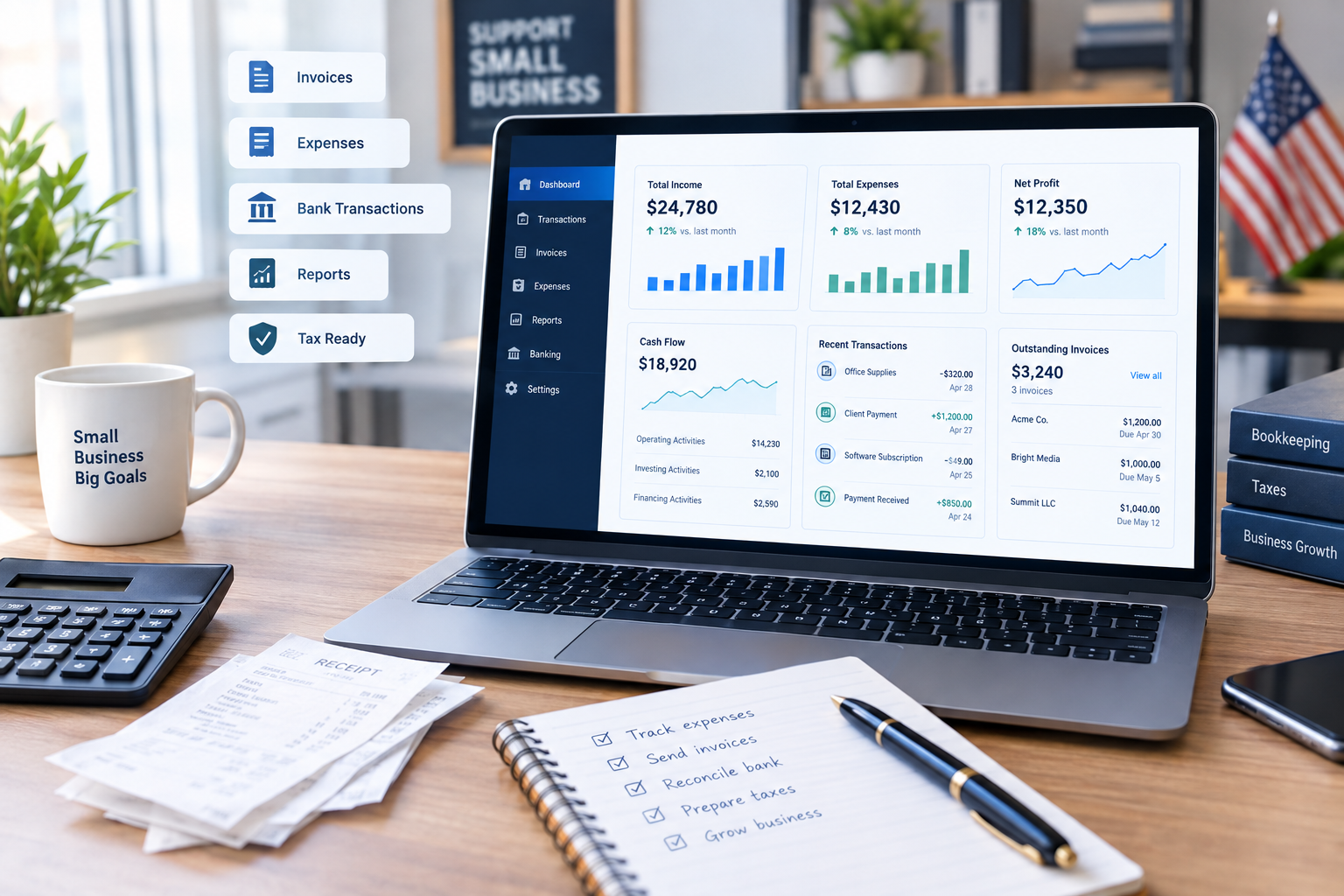
The right accounting software for small business can bring these tasks into one place. Modern bookkeeping software can help with invoicing, expense tracking, bank reconciliation, financial reports, tax records, and cash-flow monitoring.
But there is no single accounting platform that fits every business. A freelancer sending a few invoices each month has different needs from a growing company with employees, inventory, multiple currencies, or an accountant.
This guide compares several widely used options and explains what to look for before paying for a subscription.
What Is Accounting Software?

Accounting software is a digital system used to record, organise, and report a business’s financial transactions.
Typical functions include:
- Income and expense tracking
- Invoicing and payment tracking
- Bank transaction imports
- Bank reconciliation
- Financial reporting
- Expense and receipt management
- Accounts payable and receivable
- Sales-tax or VAT support
- Payroll integrations
- Accountant access
- Cash-flow monitoring
For a small business, the biggest benefit is usually not simply replacing a spreadsheet. It is creating a more consistent financial record that can be reviewed throughout the year.
In the US, the IRS says businesses can use electronic accounting systems as long as the system provides a complete and accurate record and supports appropriate recordkeeping.
Why Small Businesses Need Bookkeeping Software
A spreadsheet may work when a business has only a handful of transactions. As sales and expenses increase, however, manual bookkeeping becomes harder to maintain.
1. Less Manual Data Entry
Bank feeds can import transactions into compatible accounting platforms. Depending on the software, transactions can then be categorised and reconciled.
This can reduce repetitive data entry, although business owners should still review transactions rather than blindly accepting automated categorisation.
2. Faster Invoicing
Most modern accounting platforms allow businesses to create professional invoices, monitor unpaid invoices, and send payment reminders.
For a consultant, designer, tradesperson, or small agency, getting invoices out quickly can make a noticeable difference to cash-flow management.
3. Better Expense Tracking
Business expenses can be recorded and, with some platforms, linked to digital receipts.
This creates a cleaner record for financial reporting and makes it easier to identify spending patterns.
4. Useful Financial Reports
Common reports include:
- Profit and loss
- Balance sheet
- Cash-flow reports
- Accounts receivable
- Accounts payable
- Expense reports
- Sales reports
These reports can help an owner answer practical questions such as:
Are sales increasing? Which expenses are growing? Who owes the business money? Can the business afford another employee or equipment purchase?
What Features Should You Look For?
The right feature set depends on the business rather than the software’s total number of features.
Invoicing
Look for recurring invoices, estimates, payment tracking, reminders, and online payment integrations if customers commonly pay electronically.
Bank Reconciliation
Bank feeds and reconciliation can save time, particularly for businesses with frequent transactions.
Expense Management
Receipt capture, expense categorisation, mileage tracking, and approval workflows can be useful as a company grows.
Reporting
At minimum, small businesses should have access to clear profit-and-loss and balance-sheet reports.
Tax Support
Tax features differ significantly between the US and UK.
US businesses should make sure the software supports the records and tax workflows their accountant or tax professional needs.
UK businesses and sole traders should also check whether the software supports the relevant HMRC requirements.
Accountant Access
If an accountant or bookkeeper helps manage the business, easy access and appropriate user permissions can be more important than a long list of advanced features.
Accounting Software for Small Business Compared

The following options illustrate different approaches to bookkeeping and accounting.
| Software | Useful for | Notable features | Pricing reference |
|---|---|---|---|
| QuickBooks Online | Small businesses needing broad accounting functionality | Invoicing, expenses, reports, bank feeds, accountant access | US Simple Start listed at $38/month before current promotional pricing |
| Xero | Businesses wanting cloud accounting and collaboration | Bank reconciliation, invoicing, bills, reports, payroll options | US Early $27/month from Oct. 1, 2026 |
| Zoho Books | Cost-conscious small businesses and growing companies | Invoicing, expenses, bank feeds, reports, inventory on higher plans | US Free plan available; Standard $20/month or $15/month annually |
| FreshBooks | Freelancers and service businesses | Invoicing, expenses, estimates, time tracking, project profitability | US standard pricing starts at $23/month before promotions |
| Wave | Very small businesses seeking a low-cost starting point | Invoicing, bookkeeping records, cash-flow tools | Starter plan $0/month |
Pricing and promotional offers can change. The figures above are vendor-listed prices reviewed in October 2026, not guaranteed future prices. QuickBooks, Xero, Zoho Books, FreshBooks, and Wave all publish their own current plan details.
QuickBooks Online
QuickBooks Online is a broad accounting platform designed for businesses that need more than basic invoicing.
Its plans include functions such as income and expense tracking, reports, invoicing, and bank-related workflows. Higher plans add additional users and more advanced functionality.
Pros
- Broad accounting functionality
- Multiple plan levels
- Accountant access
- Strong reporting options
- Useful for businesses that expect to grow
Cons
- Costs more than some basic bookkeeping options
- Advanced features require higher-tier plans
- Promotional pricing can make the long-term cost less obvious
The US QuickBooks pricing page currently lists Simple Start at $38/month before promotional discounts, while UK pricing is presented separately and includes VAT considerations.
Xero
Xero is cloud accounting software with strong bank reconciliation, invoicing, reporting, and collaboration features.
For UK businesses, Xero’s current UK plans include features such as VAT return support and Making Tax Digital for Income Tax readiness on applicable plans.
For US customers, Xero announced new prices effective October 1, 2026: Early increased to $27/month, Growing to $59/month, and Established to $97/month.
Pros
- Strong cloud-based workflow
- Bank reconciliation
- Good collaboration options
- UK-specific tax and MTD support
- Useful for growing businesses
Cons
- Plan limits vary
- Payroll and other services can add cost
- Pricing differs substantially by country
Zoho Books
Zoho Books is worth considering when affordability and a broad feature set are important.
Its US pricing currently includes a free plan for qualifying small organisations, while paid plans add capabilities such as bank feeds, sales-tax tracking, recurring expenses, inventory, multi-currency transactions, project profitability, and advanced reporting.
Pros
- Free entry-level option
- Several paid tiers
- Strong feature-to-price range
- Inventory available on higher plans
- Multi-currency functionality
Cons
- More advanced features require higher plans
- Businesses may need time to understand the wider Zoho ecosystem
- Limits vary by plan
FreshBooks
FreshBooks focuses heavily on freelancers, consultants, agencies, and service businesses.
Its features include invoicing, expense tracking, estimates, time tracking, financial reports, receipt scanning, and project profitability on appropriate plans.
Pros
- Strong invoicing workflow
- Useful for service businesses
- Time tracking
- Project profitability features
- Accountant access on supported plans
Cons
- Client limits apply on lower plans
- Some features require upgrades or add-ons
- Businesses needing complex accounting may want to compare alternatives carefully
Wave
Wave provides a particularly low-cost starting point for very small businesses.
Its Starter plan is listed at $0/month and includes estimates, invoices, bills, bookkeeping records, and a cash-flow/customer dashboard. Its Pro plan is listed at $19/month when billed monthly and adds features including automatic bank transaction imports and automated transaction categorisation.
Pros
- Free Starter plan
- Simple starting point
- Invoicing and bookkeeping tools
- Low barrier for very small businesses
Cons
- Advanced requirements may require Pro or additional services
- Payment processing fees still apply
- Less appropriate for businesses needing complex accounting workflows
Accounting Software for UK Businesses: What Changes in 2026?
UK businesses need to pay particular attention to Making Tax Digital for Income Tax.
HMRC states that from 6 April 2026, sole traders and landlords with qualifying income above £50,000 need to use compatible software for Making Tax Digital for Income Tax. The threshold then falls to more than £30,000 for the 2025–26 tax year and more than £20,000 for the 2026–27 tax year, with the corresponding start dates in April 2027 and April 2028.
Compatible software needs to support digital records and the required HMRC submissions. HMRC provides a software-finder service rather than recommending one commercial product.
This means a UK business should not choose bookkeeping software based only on price. Compatibility with its tax and VAT obligations matters too.
Accounting Software for US Small Businesses

US businesses should focus on accurate records, tax-related reporting needs, integrations, and the requirements of their accountant or tax professional.
The IRS says businesses can choose a recordkeeping system suited to their business, provided it clearly shows income and expenses. Electronic systems are acceptable when they meet the relevant recordkeeping principles.
For a US business, check:
- Sales-tax workflow
- Expense categorisation
- 1099-related features if relevant
- Payroll integration
- Accountant access
- Bank integrations
- Tax-reporting compatibility
- Data export options
Pros and Cons of Cloud Accounting Software
Pros
- Access financial information online
- Reduce manual bookkeeping
- Automate recurring tasks
- Create invoices faster
- Generate reports throughout the year
- Share records with accountants
- Improve visibility into cash flow
Cons
- Recurring subscription costs
- Learning curve during setup
- Automated categorisation still needs review
- Some features are restricted to higher plans
- Data migration can be complicated
- Internet and account security become important considerations
How Much Should Small Business Accounting Software Cost?
There is no universal monthly budget.
A freelancer with five clients may only need basic invoicing and expense tracking. A company with employees, inventory, multiple currencies, and several users may need a much more comprehensive plan.
A simple way to estimate annual software cost is:
Monthly subscription × 12 + required add-ons + payment-related costs
For example, a $30/month plan has a base annual subscription cost of:
$30 × 12 = $360 per year
But that does not necessarily represent the total cost. Payroll, payment processing, extra users, receipt scanning, or other add-ons may increase the final amount.
How to Choose the Right Bookkeeping Software
Before signing up, make a short checklist.
Step 1: Count Your Transactions
A business with 30 transactions per month has different needs from one processing 3,000.
Step 2: Identify Your Business Type
Freelancers, retailers, contractors, agencies, ecommerce businesses, and professional firms can have very different accounting workflows.
Step 3: List Required Integrations
Consider:
- Business bank
- Payment processor
- Ecommerce platform
- Payroll
- CRM
- Expense management
- Tax software
Step 4: Check Tax Requirements
For UK businesses, verify HMRC and Making Tax Digital compatibility where applicable.
For US businesses, discuss required reports and workflows with your accountant.
Step 5: Calculate the Real Cost
Don’t compare only advertised subscription prices. Include users, payroll, payment processing, add-ons, and annual billing commitments.
Step 6: Test the Workflow
Use a trial where available. Create an invoice, enter an expense, connect a bank account if appropriate, run a profit-and-loss report, and see how easily you can find the information you need.
Accounting Software vs. Spreadsheets
Spreadsheets are flexible and can be perfectly reasonable for very simple operations.
However, accounting software becomes more useful when a business needs:
- Automated bank feeds
- Reconciliation
- Recurring invoices
- Payment reminders
- Multiple users
- Accountant access
- Audit trails
- Structured financial reports
- Tax-related workflows
The goal is not to replace financial judgement with software. The goal is to create cleaner records and reduce unnecessary manual work.
When Should You Hire a Bookkeeper or Accountant?
Software does not eliminate the need for professional advice.
Consider professional help when:
- Your business structure is changing
- You hire employees
- You start operating internationally
- You have inventory
- Tax rules become complicated
- You receive investment or financing
- You need financial statements for lenders
- You are unsure how transactions should be classified
Software can organise information, but an accountant or qualified tax professional can help interpret rules and make decisions that depend on your specific circumstances.
Author/Expertise Note
This article covers accounting software and general bookkeeping considerations for small businesses. Tax compliance requirements vary by jurisdiction and business structure. US readers should confirm tax matters with the IRS or a qualified US tax professional; UK readers should check current HMRC guidance or consult a qualified accountant. Pricing and software features should be rechecked before publication.
Last Updated
October 2, 2026 — pricing, product information, and relevant US/UK regulatory guidance reviewed against current official sources.
FAQs
What is the best accounting software for a small business?
There is no single choice that fits every small business. The right option depends on business type, transaction volume, required integrations, tax jurisdiction, number of users, and budget.
Is bookkeeping software the same as accounting software?
The terms overlap. Bookkeeping software generally focuses on recording and organising transactions, while broader accounting software may include reporting, invoicing, tax-related workflows, payroll integrations, budgeting, and other financial functions.
Is accounting software worth paying for?
It can be worthwhile when it saves manual bookkeeping time, improves financial visibility, reduces errors, or makes collaboration with an accountant easier. The value depends on how much your business actually uses the available features.
Can a small business use free accounting software?
Yes. Some providers offer free plans, although they may have limits on users, transactions, features, integrations, or support. Wave and Zoho Books, for example, currently offer free entry-level options in the US.
Does accounting software replace an accountant?
Usually not. Software helps record, organise, and report financial information. An accountant or tax professional can provide professional advice, tax planning, compliance support, and interpretation of complicated financial situations.
What accounting software works with Making Tax Digital?
HMRC maintains guidance and a software-finder service for Making Tax Digital for Income Tax. Businesses should verify that their specific software and plan support the submissions they need before relying on it for compliance.
How much does small business accounting software cost?
Prices vary from free plans to substantially higher monthly subscriptions. Current examples include Wave Starter at $0/month, Zoho Books’ US Free plan at $0/month, and paid products such as QuickBooks, Xero, and FreshBooks at different monthly rates. Promotions can temporarily reduce the advertised price.
Should I use accounting software or Excel?
Excel can work for very small and simple operations. Accounting software becomes more useful as transaction volume, reporting requirements, integrations, users, and compliance needs increase.
Conclusion
Choosing accounting software for small business is less about finding the software with the longest feature list and more about finding a system that matches the way your business actually operates.
Start with the essentials: invoicing, expense tracking, bank reconciliation, financial reports, integrations, and tax requirements. Then consider features such as inventory, payroll, project tracking, multi-currency support, and automation if your business needs them.
For US businesses, make sure the software supports the records and reporting workflows required by your business and accountant. For UK businesses, check HMRC and Making Tax Digital compatibility where applicable.
Before subscribing, compare the normal price rather than relying only on introductory discounts, test the key workflows, and calculate the cost of any add-ons you will actually need.
The right bookkeeping software should make your financial records easier to maintain—not create another complicated system to manage.